
August 13, 2026
What Is a LinkedIn Carousel and Why It Wins Engagement
What a carousel is, why it engages on LinkedIn and Instagram, how the two differ, and how to create one that feels on-brand.
By Kaizup Team4 min read
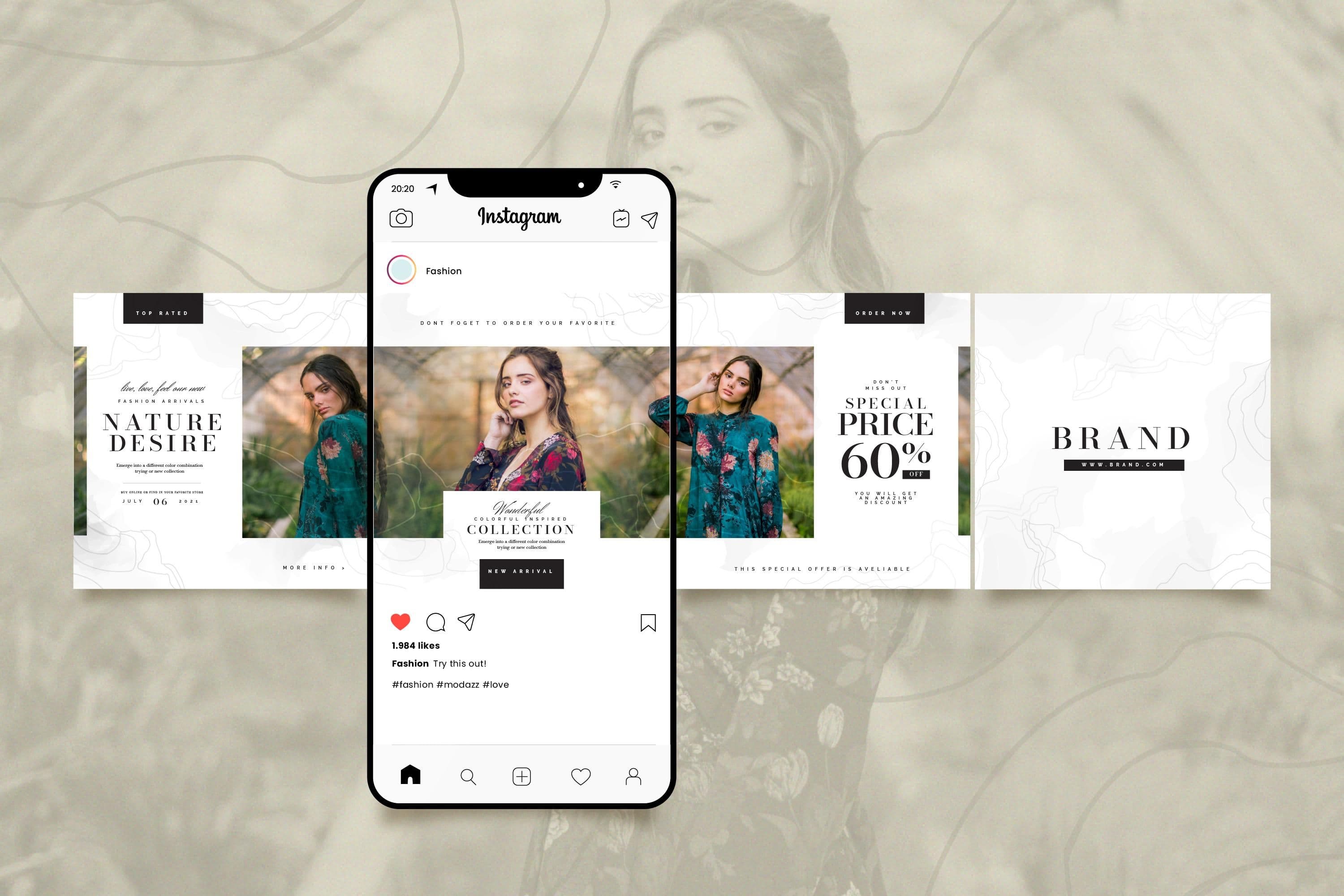
If you are publishing on LinkedIn or Instagram without using carousels, you are leaving engagement on the table. It is the organic format that generates the most saves, comments, and reach on both platforms — and yet most teams avoid it because it seems hard to produce. Spoiler: the hard part is having one clear idea, not the slides.
Ready to ship carousels on a schedule? An AI social media manager helps turn one idea into slides and a publish date.
In this article, you will understand exactly what a carousel is, why the algorithm favors it, how LinkedIn and Instagram differ, and how to create one in under 15 minutes.
What Is a Carousel?
A carousel is a post made of several slides that the reader swipes through directly in their feed, without leaving the platform. On LinkedIn, it takes the form of an uploaded PDF document. On Instagram, it is a native post that can hold up to 20 images or videos. In both cases, each slide can contain text, visuals, figures, or all three.
This swiping behavior is the key to its effectiveness: each additional slide read extends the time spent on your post. The algorithm interprets this as a strong engagement signal and distributes the post to more people. Reach is not a lottery here: the formats that hold attention win, and carousels hold attention by design.
Why Does the Carousel Generate So Much Engagement?
1. The Algorithm Rewards Reading Time
Each swiped slide sends a signal to the algorithm, on LinkedIn as on Instagram. A post whose slides are fully read is worth far more than one skimmed in 5 seconds. The carousel naturally keeps people on your content.
2. It Educates Without Overwhelming
The carousel lets you convey a complex idea in small visual doses. It is the ideal format for frameworks, step-by-step processes, and tips lists. The reader moves at their own pace.
3. It Generates Saves
Saves are one of the strongest signals on both platforms. A carousel that delivers real value — a checklist, a template, a clear process — gets saved naturally to be revisited later. On Instagram, it can even be shown again to people who did not engage the first time.
4. It Stands Out Visually
In a feed dominated by single posts, a carousel with a consistent visual identity stops the scroll. The first slide acts as a cover: it needs to make people want to swipe. A cover that says “My thoughts on Q3” is a door nobody opens.
LinkedIn or Instagram: What Are the Differences?
The principle is the same, but the use differs by platform:
- LinkedIn: PDF document format, B2B and professional audience, ideal for thought leadership, analysis, and business methods
- Instagram: native image or video post, broader and more visual audience, ideal for education, inspiration, and brand storytelling
- Visual format: LinkedIn favors landscape or square, Instagram favors square (1:1) or portrait (4:5)
- Tone: more expert and measured on LinkedIn, more direct and aesthetic on Instagram
What Types of Content Work Best in a Carousel?
Not all topics perform equally. The formats that work best on both platforms:
- Frameworks and step-by-step methods
- Commented statistics and industry data
- Case studies or before/after results
- Responses to a common objection or misconception
- Summaries of a book, article, or talk
- Actionable tips lists
How to Create an Effective Carousel?
The Structure That Converts
- Slide 1 (cover): a strong hook + a clear promise
- Slides 2 to 8: one idea per slide, simply developed
- Final slide: a clear call to action
Mistakes That Kill Engagement
- Too much text per slide — aim for 30 words maximum
- Slides with no visual consistency between them
- A generic cover that does not invite swiping
- No final slide with a CTA
- A topic too vague without a clear point of view
How Long Does It Take to Create a Carousel?
With the right tools, a quality carousel takes under 15 minutes to produce. The challenge is not mastering a design tool — it is having a clear idea, a simple structure, and a consistent brand identity.
Kaizup includes an AI carousel generator: it structures the content, applies your visual identity, and lets you edit each slide before publishing directly to LinkedIn and Instagram — all from one single interface.
Related reading: repurposing one idea into ten posts.
Summary
- The carousel is the most engaging organic format on LinkedIn and Instagram
- It works because it extends reading time and generates saves
- LinkedIn = B2B, expert PDF; Instagram = visual, mainstream native images
- Ideal structure: strong cover + 6 to 8 value slides + final CTA
- With the right tools, production takes under 15 minutes
Create your first LinkedIn or Instagram carousel in minutes: Kaizup structures the slides and applies your brand identity. Free for 7 days, full platform.
Start your free trialRelated articles
How to Build and Optimize Your CEO LinkedIn Profile
Most founders have a LinkedIn profile. Almost none have one that actually works for pipeline.
Read articleThe Founder's Personal Brand: Why Human Content Outperforms in 2026
Personal profiles generate far more engagement than company pages. Why a founder personal brand outperforms in 2026 and how to stay consistent.
Read articleHow to Create an Instagram Business Account
2026 guide to create an Instagram professional account: why Business mode, prep checklist, detailed steps, optimization, and FAQ.
Read article